

Realistic Watercolor Brushes for Procreate – 32 Brushes + 7 Paper Canvases
52 realistic watercolor brushes for Procreate + 7 high-res paper canvases (Hotpress, Rough, Grain & more). Sketch, paint, blend, texture in one complete kit. 20 stamps + guide. Instant download.
Details
AquaBrush Realism – Realistic Watercolor Brushes for Procreate | Complete Studio Kit
The most complete realistic watercolor experience for Procreate. AquaBrush Realism gives you 52 purpose-built brushes across every stage of the painting workflow — from initial sketch to final texture — plus 7 high-resolution paper canvases that simulate real watercolor surfaces, from smooth Hotpress to heavy Handmade Paper.
One download. Your complete digital watercolor studio. $5.40.
32 Realistic Watercolor Brushes — Every Tool You Need
AquaBrush Realism covers the full painting workflow in a single kit. Each brush category is designed for a specific stage, so you move naturally from sketch to finished artwork without switching sets or improvising with tools that weren't built for the job.
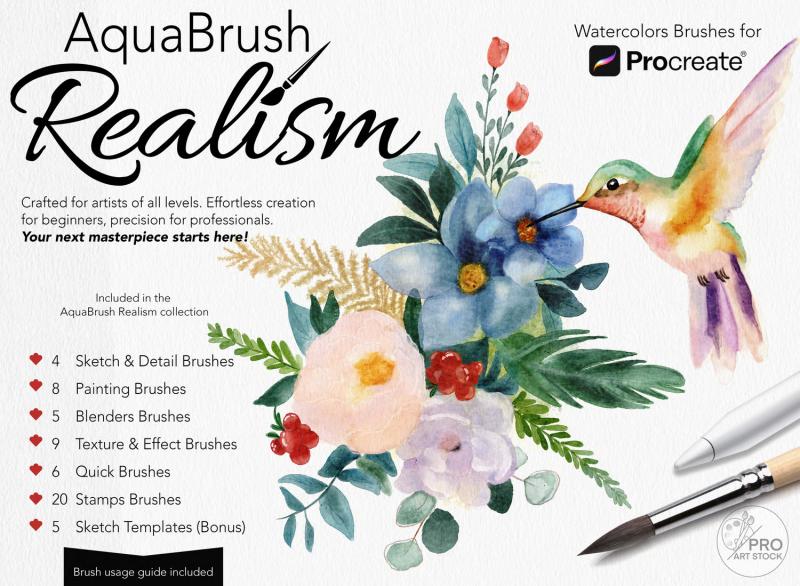
Sketch & Detail Brushes (4)
Crisp, pressure-sensitive linework brushes for initial botanical sketches, architectural underdrawings, portrait outlines, and fine structural details. Calibrated for Apple Pencil tilt so you can use the tip for precision lines and the side for shading.
Painting Brushes (8)
The core watercolor painting tools — flat washes, round detail brushes, broad stroke painters, and wet-edge builders. Each one responds to Apple Pencil pressure with authentic pigment flow: light pressure for translucent glazes, firm pressure for saturated, blooming color.
Blender Brushes (5)
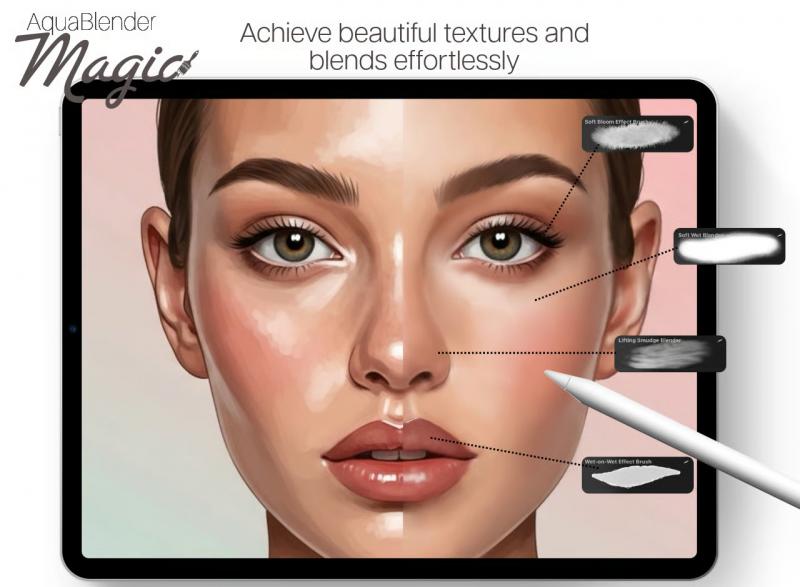
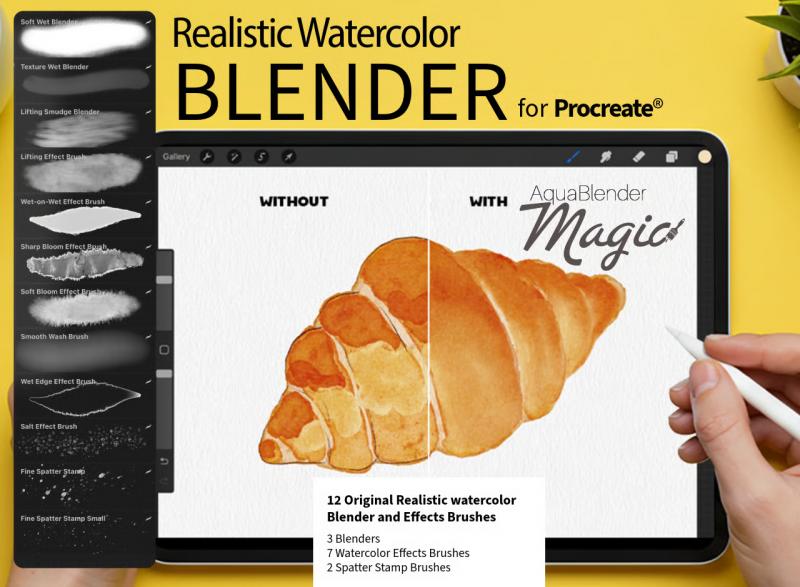
Soft wet blenders for seamless color transitions, smooth gradient washes, and the kind of edge softening that makes digital watercolor look like it was painted on real paper. Works in both the Smudge and Paint tools.
Texture & Effect Brushes (9)
Granulation textures, dry brush grain, pigment pooling effects, splatter, blooms, and salt-like crystal effects — all the organic details that separate authentic-looking watercolor from flat digital painting. Layer these over finished washes to add the final layer of realism.
Quick Brushes (6)
Streamlined one-stroke tools for fast background washes, rapid color fills, and expressive gestural painting. Ideal for building up large atmospheric areas quickly before adding detail. Designed for speed without sacrificing the realistic watercolor texture.
Stamp Brushes (20)
Tap on ready-made watercolor elements — splashes, texture overlays, color bleeds, organic edge stamps, and more — to add instant depth and complexity. Combine with painting brushes for mixed technique compositions.
Bonus: 5 Sketch Templates
Pre-drawn composition templates to help you start painting immediately. Open a template, add your watercolor layers on top, and build a finished illustration step by step. Ideal for beginners learning the AquaBrush workflow and experienced artists who want a structured starting point.
7 High-Resolution Paper Canvases — Real Watercolor Surfaces in Procreate
The 7 paper canvases are what set AquaBrush Realism apart from every competitor at this price point. Each one simulates a distinct real-world watercolor surface that artists recognize from traditional media — so your digital paintings don't just look like watercolor, they feel like they were painted on the right paper.
All 7 canvases come in two sizes: 4000×5000px (high-resolution, suitable for print) and 2900×3625px (optimized for digital use and faster performance on older iPads).
- Classic — a balanced, mid-grain cotton surface suitable for all watercolor styles
- Hotpress — ultra-smooth surface for fine detail work, crisp edges, and flat wash illustrations
- Amber Rough — heavy grain texture with visible paper tooth, ideal for expressive and gestural painting
- Smooth Grain — subtle grain for a refined, slightly textured look without dominating the artwork
- Coarse Grain — bold paper grain for raw, heavily textured effects and landscape work
- Textured Dots — a unique dimpled surface that creates micro-bloom and stipple effects as paint pools
- Handmade Paper — irregular, organic paper texture that mimics the surface of handcrafted watercolor sheets
Each canvas is built as a layered Procreate file — the texture is pre-set and interacts with your brushstrokes automatically, giving you realistic paper-paint interaction without any extra setup.
Built for Apple Pencil — Full Pressure & Tilt Response
Every painting brush, blender, and sketch tool in AquaBrush Realism is calibrated for Apple Pencil pressure and tilt. Vary your pressure from feather-light to firm and watch the pigment respond naturally — spreading, pooling, and blooming the way real watercolor does when it meets wet paper.
The 20 stamp brushes are non-pressure-sensitive by design, so they work with Apple Pencil, Apple Pencil Pro, or your finger for flexible element placement.
Perfect for Every Realistic Watercolor Subject
Portraits & Figurative Work
Use the Sketch & Detail brushes to build your underdrawing, the Painting brushes to lay in skin tone washes, and the Blender brushes to merge transitions across cheekbones, jaw, and neck. The Hotpress and Smooth Grain canvases give portrait work a clean, traditional illustration feel.
Landscapes & Skies
Sweep wide atmospheric washes with the Quick brushes and build layered depth with the Texture & Effect set. The Amber Rough and Coarse Grain canvases add the natural paper tooth that gives landscape watercolor its characteristic gritty texture and visual weight.
Botanical & Floral Illustration
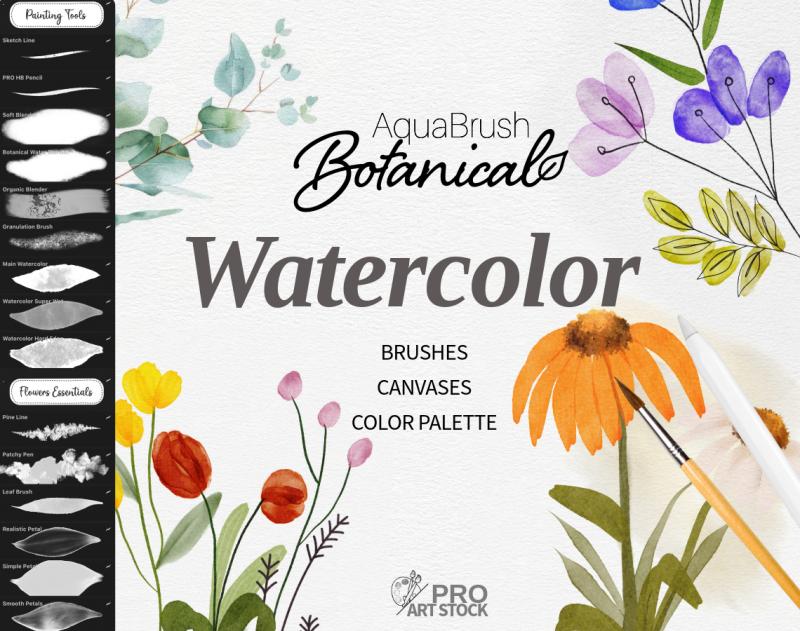
Combine fine petal detail from the Sketch brushes with wet-edge merges from the Painting and Blender sets. The Classic and Smooth Grain canvases are ideal for refined botanical linework with controlled wash behavior.
Abstract & Expressive Painting
Push the Texture & Effect brushes to their limit — layer bloom effects, granulation textures, and splatter stamps over flat washes on the Textured Dots or Handmade Paper canvases for richly textured abstract compositions that look analog.
What's Included in Your AquaBrush Realism Download
- 52 realistic watercolor brushes for Procreate (.brushset file):
— 4 Sketch & Detail Brushes
— 8 Painting Brushes
— 5 Blender Brushes
— 9 Texture & Effect Brushes
— 6 Quick Brushes
— 20 Stamp Brushes
- 7 High-resolution paper canvases in 2 sizes (4000×5000px + 2900×3625px)
- 5 Sketch Templates (Bonus)
- Detailed User Guide
- Compatible with Procreate 5+ on all iPads
- Optimized for Apple Pencil 1st gen, 2nd gen, and Apple Pencil Pro
- Instant digital download — no waiting, no shipping
- Full commercial license included
How to Install AquaBrush Realism
1. Complete your purchase — you'll receive a confirmation email with a PDF download link
2. Open the PDF on your iPad and tap the download link
3. Tap the .brushset file to import your 52 brushes into Procreate automatically
4. Open the paper canvas files — each one opens as a new Procreate document ready to paint on
5. Load the sketch templates and User Guide and start creating
Frequently Asked Questions
What makes these watercolor brushes more realistic than Procreate's built-in brushes?
Procreate's default watercolor brushes are general-purpose tools. AquaBrush Realism brushes are tuned specifically for authentic pigment behavior — controlled dilution, realistic edge bleed, natural blooms, and paper-grain interaction. Paired with the 7 paper canvases, the result is digital watercolor that behaves the way traditional wet media does, not the flat, mechanical look of standard digital painting.
Do the 7 paper canvases replace my own canvas settings?
The canvases are pre-built Procreate documents with layered paper textures already set up. You paint directly on them — the texture interacts with your brushstrokes automatically. You do not need to configure anything. They are separate from your standard Procreate canvas settings and do not override your other documents.
What is the difference between the 4000×5000px and the 2900×3625px canvas sizes?
The 4000×5000px version is high-resolution and suitable for print-quality output — artwork printed at this size will hold fine detail up to large format. The 2900×3625px version is optimized for digital use and runs faster on iPads with limited RAM, making it a better choice for daily painting sessions.
Are these realistic watercolor brushes compatible with Procreate 5?
Yes — AquaBrush Realism is fully compatible with Procreate 5, 5.2, 5.3, and all newer versions. All brushes and canvases work across all iPad models supported by the Procreate app.
Can I use these brushes for commercial projects?
Yes. Your purchase includes a full commercial license. Portraits, illustrations, surface patterns, print-on-demand products, and client work created using AquaBrush Realism are yours to sell and publish without additional fees or credits required.
Is AquaBrush Realism suitable for beginners?
Yes. The 5 included Sketch Templates give beginners a structured starting point, and the detailed User Guide walks you through the full AquaBrush workflow from sketch to finished painting. The Quick Brushes category is specifically designed for artists who want expressive results without complex technique. Advanced artists will find equal depth in the Texture & Effect set and the paper canvas variations.