

Procreate Watercolor Blending Brushes | Smudge Brush Set
Download immediately
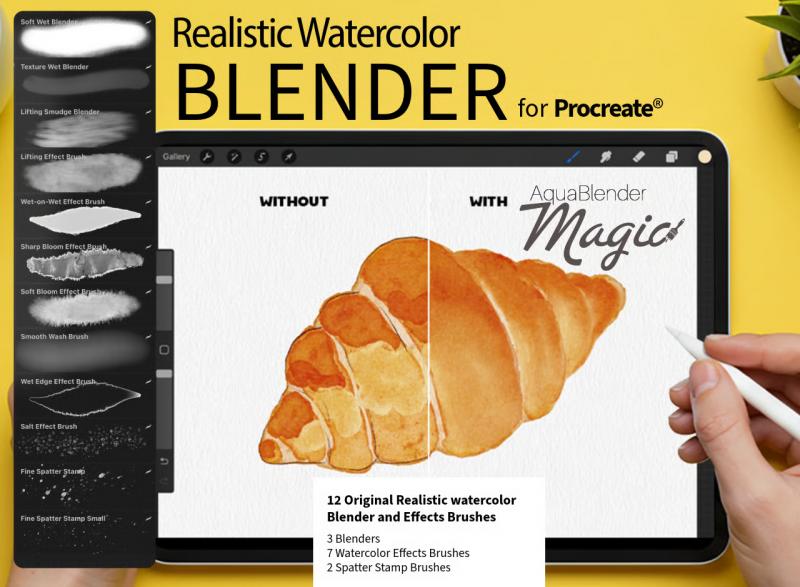
12 premium Procreate watercolor blending brushes. Smudge & Paint tool ready, Apple Pencil pressure & tilt calibrated. Authentic blooms, wet-edge merges, pigment diffusion. Instant download + PDF guide.
Detalhes do produto
Procreate Watercolor Blending Brushes – Professional Smudge Toolkit
Transform your digital watercolor paintings into seamless, flowing masterpieces with the most focused Procreate watercolor blending brush set available for download. This 5-brush smudge-style toolkit delivers authentic blooms, soft wet-edge merges, and natural pigment diffusion to every stroke — no messy cleanup, no frustrating rework.
At just $5.40, you get professional-grade watercolor blending power your iPad was made for.
What You Get: 12 Specialized Watercolor Blending Brushes for Procreate
Each brush in this set is purpose-built for watercolor transitions in Procreate. Unlike generic brush packs, every one of these five blenders was designed with a single job: making your color blending feel effortless, organic, and alive.
- Soft Bloom Blender — creates gentle wet-on-wet spreads and soft radial transitions, ideal for petals and bokeh
- Wet Edge Merge — melts hard edges into silky, natural-looking watercolor bleeds
- Pigment Push — simulates the way pigment pools and flows under pressure on real paper
- Sky Gradient Glider — sweeps smooth, banded washes across large areas for atmospheric skies and ocean reflections
- Detail Lift — lifts color to create soft highlights and expressive light accents
Works with Both the Smudge Tool and Paint Tool
These Procreate blending brushes are engineered to work in both the Smudge and Paint tools — giving you total control over whether you're blending existing color or applying new paint with a watercolor feel. Most competing sets only optimize for one mode.
Drag-and-Drop Install in Seconds
Drop the .brushset file into Procreate and your new watercolor brushes are ready instantly. No configuration, no manual tweaking required. Works on any iPad running Procreate 5 or newer.
Built for Apple Pencil — Pressure & Tilt Calibrated
Every brush in this set is finely calibrated to respond to Apple Pencil pressure and tilt. Press lightly for a delicate, transparent wash. Press harder to push pigment and deepen the blend. Tilt the Pencil to activate the broader, softer side of each brush — exactly how a real watercolor brush behaves in your hand.
Natural Pigment Diffusion with Every Stroke
The brushes simulate the way watercolor pigment spreads and dilutes as it travels across wet paper — a behavior that's notoriously difficult to achieve in digital painting. This is what gives your artwork that unmistakably handmade quality that viewers feel before they can explain why.
Authentic Wet-on-Wet Watercolor Blooms
Using these brushes as your smudge brush in Procreate, you can drag wet color into wet color for the unpredictable, expressive blooms that make traditional watercolor so magical. Each brush responds differently — some create soft radial spreads, others push pigment in directional waves, giving you the full vocabulary of watercolor techniques at your fingertips.
Perfect for Every Watercolor Style and Subject
Botanical & Floral Illustrations
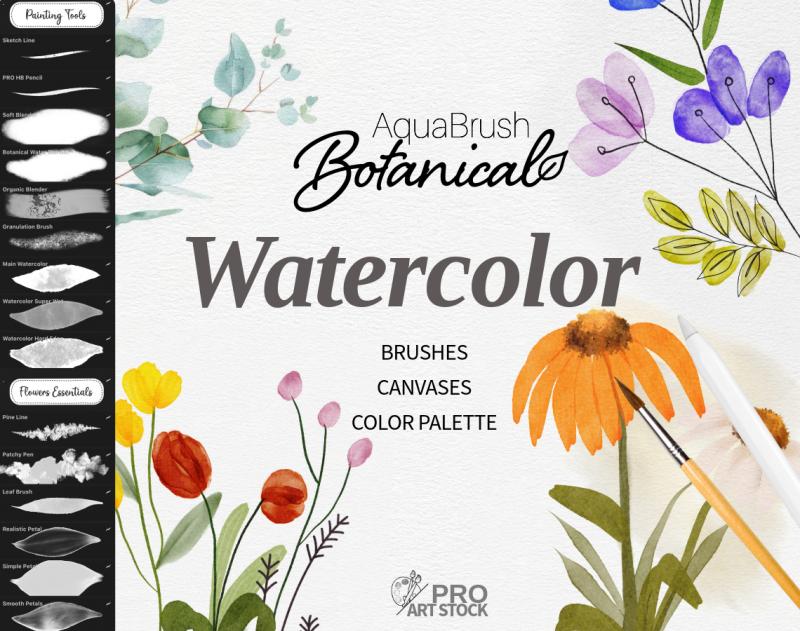
Coax soft petal gradients, leaf veining transitions, and delicate stem blends. These watercolor blending brushes make botanical illustration in Procreate feel as intuitive as painting on real paper — without wasting supplies on practice strokes.
Portraits & Skin Transitions
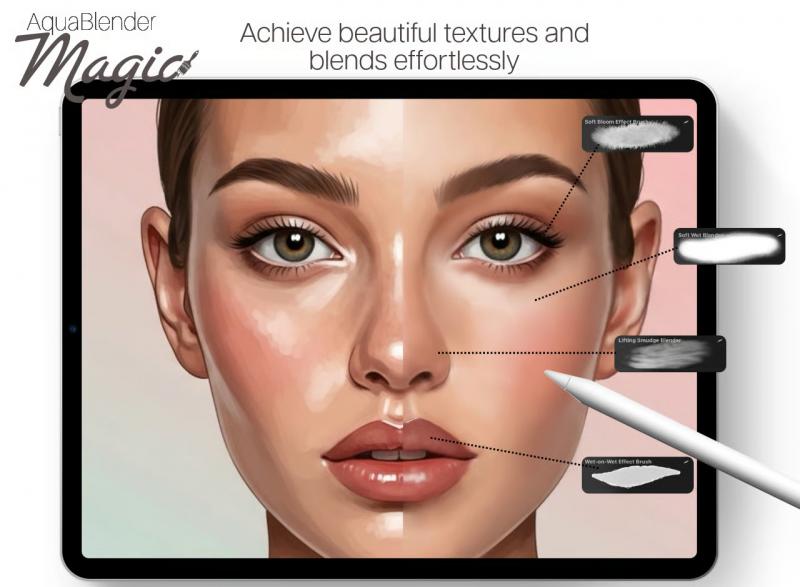
Build smooth cheek blushes, soft shadow transitions across jaw and neck, and the subtle, multi-layered tones that make watercolor portrait painting in Procreate look professional. The Detail Lift brush is especially effective for pulling highlights from skin tones.
Landscape Sky Gradients
Sweep from deep cerulean to pale gold across a wide canvas with the Sky Gradient Glider brush. Build dramatic cloud shadows, golden-hour bleeds, and misty horizon lines that rival any traditional watercolor landscape.
What's Included in This Procreate Brush Download
- 5 professional Procreate watercolor blending brushes (.brushset file)
- Concise PDF guide with pro blending tips, workflow shortcuts, and layer strategies
- Compatible with Procreate 5+ on all iPad models
- Optimized for Apple Pencil 1st and 2nd generation
- Instant digital download — no waiting, no shipping
How to Install Your Procreate Watercolor Brushes
1. Complete your purchase and download the .brushset file to your iPad
2. Open the file in Procreate — it imports automatically
3. Find your brushes in the Brush Library under "ProArtStock – Watercolor Blenders"
4. Set as your Smudge or Paint tool brush and start creating
Frequently Asked Questions
Are these Procreate blending brushes compatible with Procreate 5?
Yes — these watercolor blending brushes are fully compatible with Procreate 5, 5.2, 5.3, and all newer versions. They work on all iPad models that run Procreate, including older iPads with limited RAM.
Do these brushes only work with the Smudge Tool?
No. These Procreate blending brushes are engineered to work with both the Smudge Tool and the Paint Tool. This gives you two completely different watercolor workflows: using them as traditional painting brushes (Paint Tool) or as blending and softening tools (Smudge Tool).
Do I need an Apple Pencil to use these watercolor brushes?
While these brushes are finely calibrated for Apple Pencil pressure sensitivity and tilt, they will also work with other compatible styluses. However, for the most authentic watercolor blending experience — especially the pressure-reactive pigment behavior — Apple Pencil is strongly recommended.
Can I use these brushes in commercial projects?
Yes. Your purchase includes a full commercial license. Artwork you create using these Procreate watercolor brushes is yours to sell, publish, and use in client projects without any additional fees.
What makes these different from Procreate's built-in watercolor brushes?
Procreate's default brushes were designed as general-purpose tools. These five blending brushes are purpose-built for one thing: creating seamless, natural-looking watercolor transitions in both the Smudge and Paint tools. Every parameter — dilution, charge, Wet Mix, pressure response — is tuned specifically for smooth color blending, authentic pigment behavior, and the feel of real wet-media art.