

AquaBlender Magic – Procreate Watercolor Blenders & Effects Brushes
12 specialized Procreate watercolor brushes in one kit — blenders AND effects. Blooms, wet-on-wet bleeds, lifting, wet edges. Apple Pencil calibrated. Elevates any brush set. Instant download + PDF guide.
Details
AquaBlender Magic – Procreate Watercolor Blenders & Effects Brushes
Upgrade any Procreate watercolor brush set instantly. AquaBlender Magic is a 12-brush powerhouse combining specialized watercolor blenders and unique effect brushes in a single download — giving you complete control over every technique from soft wet-on-wet bleeds to sharp, defined blooms.
At just $5.40, it's the most versatile watercolor effects toolkit available for Procreate.
12 Specialized Procreate Watercolor Brushes: Blenders + Effects in One Kit
Most brush sets give you one type of tool. AquaBlender Magic gives you two: dedicated blenders calibrated for the Smudge Tool, and unique effect brushes built for the Paint Tool. Together, they cover the full range of watercolor techniques that digital artists struggle to achieve naturally in Procreate.
Versatile Blenders — for the Smudge Tool
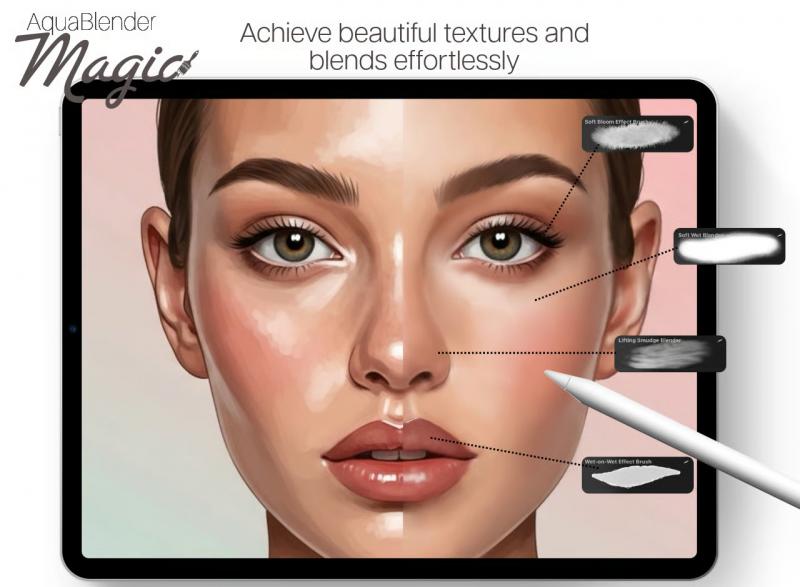
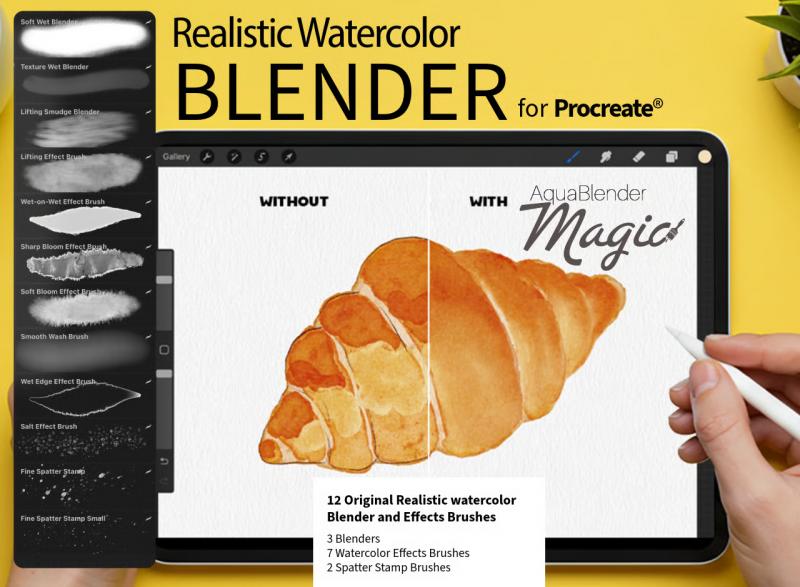
- Soft Wet Blender — ultra-smooth, seamless color transitions with a fluid, watery feel
- Texture Wet Blender — infuses your blends with subtle, organic watercolor grain for a hand-painted look
- Lifting Smudge Blender — gently lifts and lightens colors with a beautiful, watery lifting effect
Unique Effect Brushes — for the Paint Tool
- Lifting Effect Brush — paint on highlights or lift color for realistic light play and luminous accents
- Wet-on-Wet Effect Brush — create gorgeous, unpredictable bleeds and color mingling between wet layers
- Sharp Bloom Effect Brush — produce crisp, defined watercolor blooms with bold visual impact
- Soft Bloom Effect Brush — achieve delicate, cloud-like blooms and soft pigment diffusions
- Smooth Wash Brush — lay down even, buildable washes across large areas with ease
- Wet Edge Effect Brush — define the characteristic dark, concentrated edges of real watercolor strokes
- Plus 3 additional blending and texture brushes for advanced layering and depth
Works With Any Procreate Watercolor Brush Set
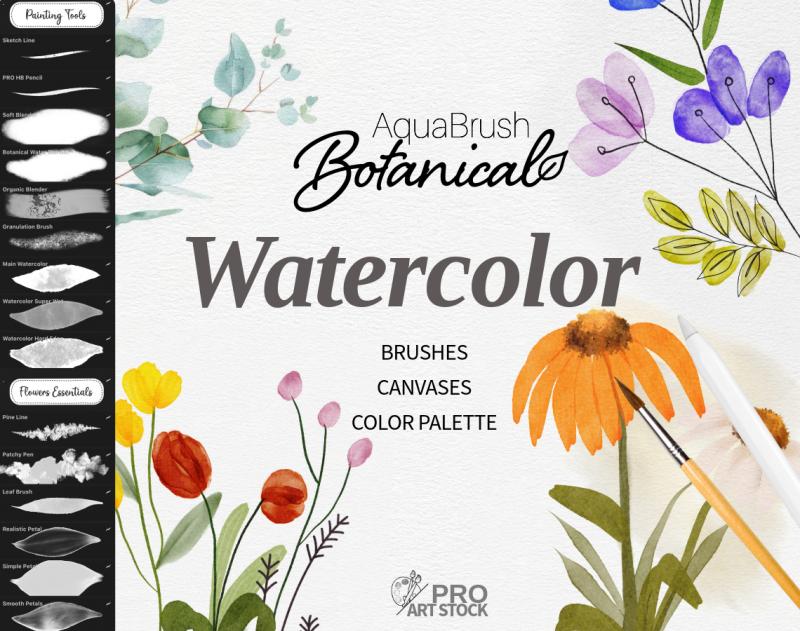
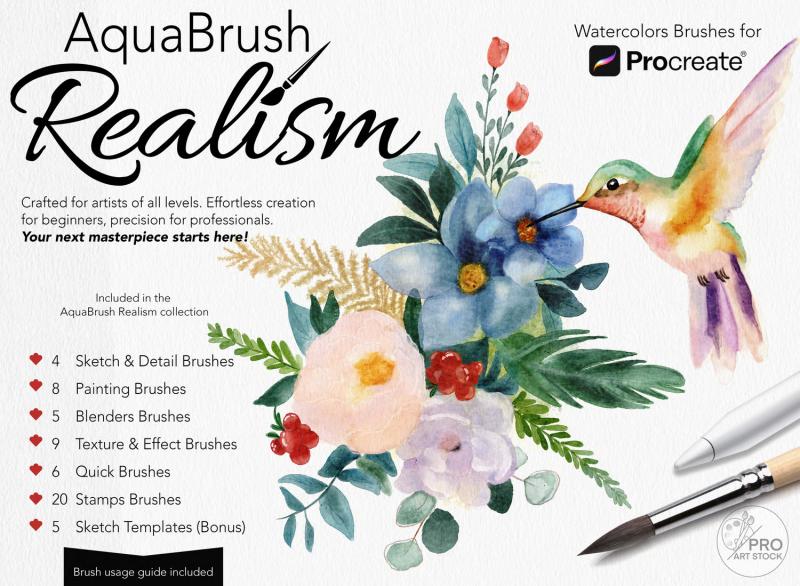
AquaBlender Magic is designed to complement and elevate the brushes you already own. Whether you use a botanical set, a portrait kit, or Procreate's built-in watercolor brushes, these 12 tools add the authentic effects layer that most brush packs leave out — the natural watercolor behaviors that happen after the stroke, not during it.
No need to replace your current brushes. Just add AquaBlender Magic and unlock their full potential.
Built for Apple Pencil — Pressure & Tilt Calibrated
Every brush responds to Apple Pencil pressure and tilt with the precision of real wet media. Light pressure creates delicate washes and translucent blooms. Firm pressure pushes pigment and deepens bleeds. Tilting the pencil activates the broader, softer edge of each brush — the same way a traditional watercolor brush behaves when angled across paper.
Perfect for Every Watercolor Style and Subject
Botanical & Floral Illustration
Achieve the organic petal transitions, leaf edge bleeds, and natural pigment pooling that define professional botanical watercolor illustration. The Soft Bloom Effect and Wet Edge brushes are especially effective for painting flowers with depth and movement.
Portraits & Skin Blending
Build luminous cheek gradients, soft jaw transitions, and subtle skin tone layering. The Lifting Effect Brush is ideal for pulling glowing highlights from skin tones, while the Texture Wet Blender adds the natural grain that makes digital portraits feel handcrafted.
Backgrounds, Skies & Abstract Washes
Sweep seamless gradient skies, moody atmospheric washes, and expressive abstract backgrounds using the Smooth Wash and Wet-on-Wet Effect brushes. The wet-paint behavior creates the kind of unpredictable, layered depth that makes watercolor so visually compelling.
What's Included in Your AquaBlender Magic Download
- 12 specialized Procreate watercolor brushes (.brushset file)
- 6 Smudge Tool blenders + 6 Paint Tool effect brushes
- Concise PDF guide with advanced blending workflows and technique shortcuts
- Compatible with Procreate 5+ on all iPad models
- Optimized for Apple Pencil 1st and 2nd generation
- Instant digital download — available immediately after purchase
How to Install AquaBlender Magic in Procreate
1. Complete your purchase and download the .brushset file to your iPad
2. Tap the file — Procreate opens automatically and imports the brushes
3. Find your 12 new brushes in the Brush Library under "AquaBlender Magic"
4. Assign the blenders to your Smudge Tool and the effect brushes to your Paint Tool
5. Start painting — no extra setup required
Frequently Asked Questions
Will these brushes work with my existing Procreate watercolor brushes?
Yes — AquaBlender Magic is specifically designed to work alongside any existing Procreate watercolor brush set. The blenders enhance transitions within your current brushes, while the effect brushes add watercolor behaviors like blooms, bleeds, and wet edges that most painting brushes don't produce on their own.
What is the difference between the blender brushes and the effect brushes?
The 6 blender brushes are designed for the Smudge Tool — they blend, smooth, and soften colors already on your canvas. The 6 effect brushes are designed for the Paint Tool — they actively create watercolor effects like blooms, wet edges, and lifting highlights as you paint new strokes.
Do I need Apple Pencil to use AquaBlender Magic?
These brushes are calibrated for Apple Pencil pressure sensitivity and tilt, which gives you the most natural and expressive experience. They will also work with other compatible styluses, but for full pressure-reactive pigment behavior, Apple Pencil is strongly recommended.
Are these Procreate brushes compatible with Procreate 5?
Yes — AquaBlender Magic is fully compatible with Procreate 5, 5.2, 5.3, and all newer versions, on all iPad models that support the Procreate app.
Can I use these brushes for commercial projects?
Yes. Your purchase includes a full commercial license. All artwork created with AquaBlender Magic brushes is yours to sell, publish, and use in professional or client projects without additional fees.
How is this different from a standard watercolor brush pack?
Standard watercolor packs give you painting brushes — tools for laying down color. AquaBlender Magic focuses on what happens after the stroke: the blooms, bleeds, soft edges, and lifting effects that make watercolor look alive. It's an effects and blending layer for your existing tools, not a replacement for them.