

Realistic Watercolor Brush for Procreate | Magic Canvas + Color Swatches Kit
Realistic Procreate watercolor brushes — authentic pigment flow, organic bleeds & splatters. Includes Magic cold-press Canvas + curated color swatches. Apple Pencil calibrated. Instant download.
Details
Realistic Watercolor Brush for Procreate – Magic Canvas & Color Palette Kit
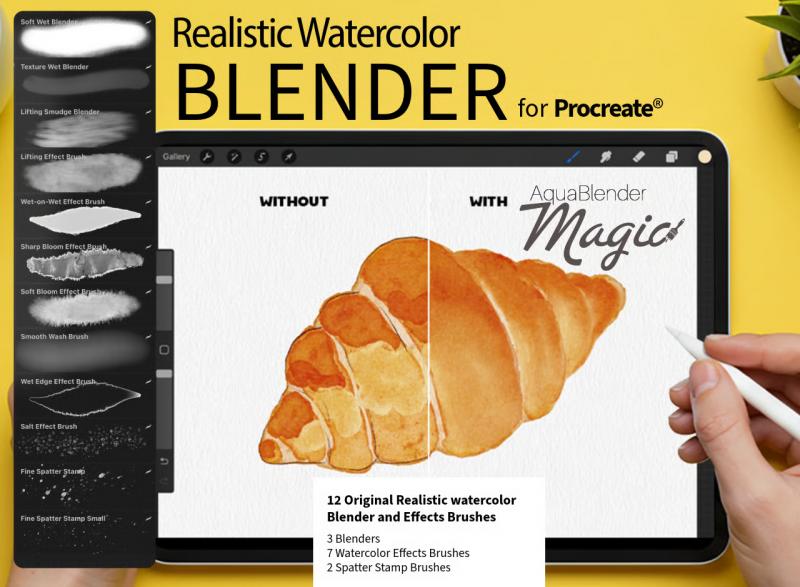
Elicit the authentic fluidity of traditional watercolor right on your iPad. This Realistic Watercolor Brush for Procreate kit delivers true-to-life pigment flow, organic bleeds, and paper grain — from the softest translucent washes to bold, expressive splatters — with the unpredictability and spontaneity that makes real watercolor painting so compelling.
Everything you need to start painting realistic watercolor immediately. $5.40.
Authentic Watercolor Behavior — No Compromise
Most watercolor brushes for Procreate look like watercolor. These behave like watercolor. The difference is in how pigment responds to every variable — how it spreads under pressure, how it bleeds at wet edges, how it pools into organic shapes, how it dries into layered transparencies that build luminous depth over multiple passes.
Each brush in this set reacts to Apple Pencil pressure and tilt across the full range:
- Light, slow strokes — delicate, translucent washes with soft, diffusing edges
- Moderate pressure — mid-weight washes with visible flow direction and organic edge variation
- Firm, loaded strokes — saturated, bold color with expressive bleed and splatter behavior
One kit. The full vocabulary of traditional watercolor technique.
Magic Canvases — Cold-Press Paper Built Into Your Canvas
The standout feature of this kit is the Magic Canvases: pre-built Procreate files that simulate cold-press watercolor paper at the canvas level. Unlike simple texture overlays, Magic Canvases have layered paper structure that interacts directly with your brushstrokes — your paint sinks into the grain, pools in the surface texture, and dries with the visible paper tooth of real cotton watercolor paper.
Open a Magic Canvas and start painting — no setup, no configuration, no importing textures to separate layers. The paper is already there. Your brushes already know how to react to it.
Cold-press paper simulation means:
- Visible paper tooth and grain beneath every wash
- Natural pigment pooling in the low points of the surface
- Expressive, broken edges on dry-brush strokes
- Wet-on-wet bleeds that spread and settle organically
Curated Color Swatches — Start Painting in Seconds
Choosing watercolor pigment colors is half the creative process for traditional painters. The included color swatches bring that to Procreate — carefully curated palettes of watercolor-accurate hues that work harmoniously together the way real pigments do.
Load a palette and you're painting with colors already tuned for realistic watercolor layering: transparent-leaning primary washes, granulating earth tones, luminous botanical greens, and soft neutrals that mix cleanly without muddying. No hunting for the right color. No accidental clashes. Just pick and paint.
Perfect for Every Watercolor Subject and Style
Botanical & Floral Illustration
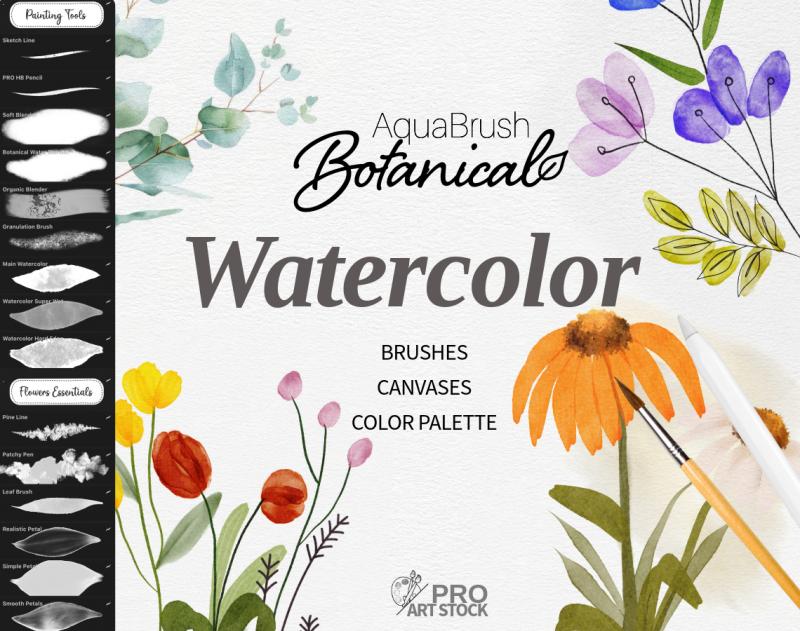
Load the botanical palette, open a Magic Canvas, and begin painting flowers with true-to-life petal transparency and organic edge variation. The soft wash brushes build layered depth through multiple glazes; the bleed behavior creates the natural pooling at petal tips and leaf edges that defines professional botanical illustration.
Landscape Painting
Sweep atmospheric sky washes across the Magic Canvas and watch pigment settle into the paper grain naturally. Build horizon lines with the mid-weight wash brushes, add foreground texture with bold, loaded strokes, and finish with expressive splatter for the kind of spontaneous marks that make digital landscapes feel analog.
Watercolor Lettering & Script
The pressure responsiveness of these brushes makes them ideal for watercolor hand lettering — light upstrokes produce thin, translucent lines; heavy downstrokes produce wide, saturated strokes with organic edge variation. Paint on a Magic Canvas for the paper texture that gives watercolor calligraphy its characteristic handmade feel.
Portraits & Figurative Work
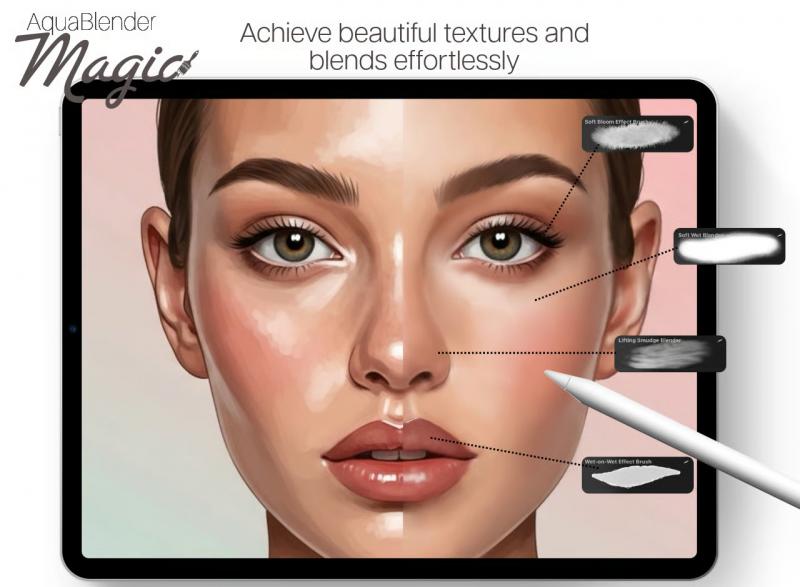
Build skin tone layers from transparent washes up to saturated blush and shadow. The pigment flow calibration keeps early glaze layers readable through subsequent passes, building the luminous, multi-toned depth of traditional watercolor portrait painting without muddying colors.
What's Included in Your Download
- Realistic watercolor brushes for Procreate (.brushset file)
- Magic Canvases — cold-press paper simulation (.procreate files, ready to paint on)
- Curated color swatches (.swatches file) — watercolor-accurate palettes
- Compatible with Procreate 5+ on all iPad models
- Fully calibrated for Apple Pencil 1st gen, 2nd gen, and Apple Pencil Pro
- Instant digital download — available immediately after purchase
- Full commercial license included — artwork is yours to sell and publish
How to Install
1. Complete your purchase and download the files to your iPad
2. Tap the .brushset file — Procreate imports the brushes automatically
3. Open the Magic Canvas .procreate files — they appear in your Procreate gallery
4. Import the color swatches via Procreate's palette menu
5. Open a Magic Canvas, select a palette, pick a brush — start painting
Frequently Asked Questions
What are Magic Canvases and how are they different from regular Procreate canvases?
Magic Canvases are pre-built Procreate files with layered cold-press watercolor paper texture built into the canvas structure. When you paint on them, your brushstrokes interact with the paper grain automatically — pigment pools, bleeds, and settles the way it does on real watercolor paper. Unlike simple texture imports or canvas grain settings, Magic Canvases create the full layered paper effect without any extra setup.
Do I need to do anything to activate the cold-press paper effect?
No. Open a Magic Canvas file in Procreate, select your brush, and start painting. The paper interaction is built in — your strokes automatically respond to the canvas texture. No layer configuration, no texture import steps, no adjustments required.
Can I use my own brushes on the Magic Canvases?
Yes — the Magic Canvases work with any Procreate brush. They're standard Procreate files that respond to all painting tools. For the most authentic experience, we recommend using the included realistic watercolor brushes, which are calibrated to interact naturally with cold-press paper behavior.
Are these brushes compatible with Procreate 5?
Yes — fully compatible with Procreate 5, 5.2, 5.3, and all newer versions on all iPad models supported by the Procreate app. Does not work in Photoshop, Affinity Designer, or any non-Procreate application.
How is this different from AquaBrush Realism?
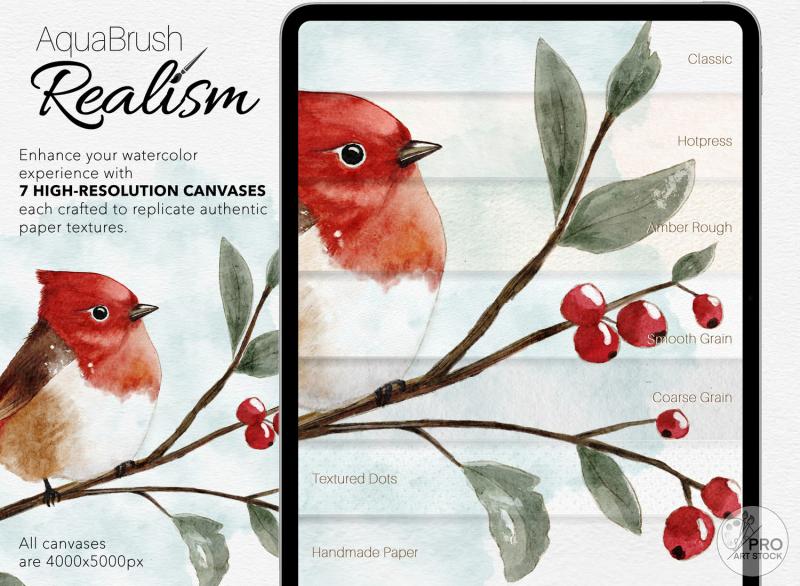
AquaBrush Realism is a full studio kit — 52 brushes across 6 categories, 7 distinct paper canvases, sketch templates, and a detailed user guide for artists who want a comprehensive, multi-tool workflow. This Realistic Watercolor Brush kit is the essential entry point — focused brushes with an intuitive range from soft washes to bold splatters, Magic cold-press Canvases, and curated color swatches that let you start painting realistically in minutes with no learning curve.
Can I use artwork created with this kit commercially?
Yes. Full commercial license included. Illustrations, prints, cards, digital products, and client work created using this kit are yours to sell and publish without additional fees or credits required.