

Procreate Watercolor Blending Brush | Smudge Tool for Blooms, Color Merge & Soft Edges
Download immediately
Procreate watercolor blending brushes — smudge-style, organic blooms, feathered edges & seamless color merges. Apple Pencil calibrated. Paper grain preserved through every blend. Instant download.
Detalhes do produto
Procreate Watercolor Blending Brush – The Essential Smudge Tool for Watercolor Painting
Every Procreate watercolor workflow has a weak point: blending. Colors sit next to each other instead of flowing into each other. Edges look digital instead of painted. Blooms don't bloom. This smudge-style watercolor blending brush kit solves exactly that — fusing hues organically, feathering edges naturally, and creating the unpredictable blooms that make watercolor look alive.
One focused tool. The most important one in your workflow. $5.40.
What This Watercolor Blending Brush Does
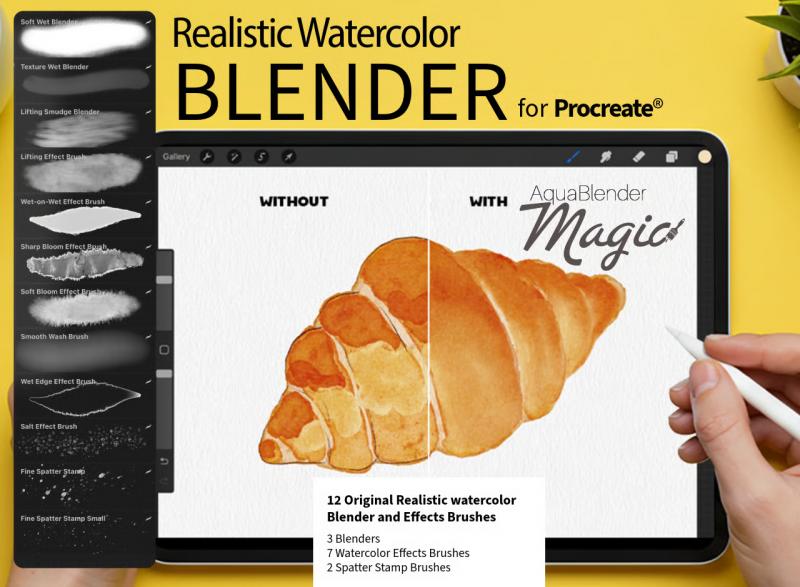
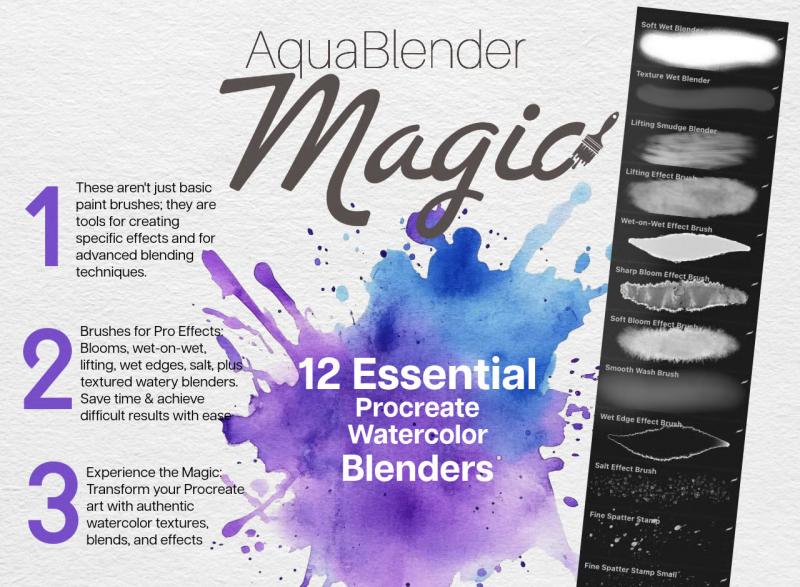
The Procreate Watercolor Blending Brush is a smudge-style toolkit built exclusively for watercolor color blending on iPad. Unlike general-purpose smudge tools, each brush in this set is calibrated specifically for the way watercolor pigment behaves — spreading outward from a saturated center, feathering into soft edges, pooling into organic blooms, and merging neighboring hues without muddying the result.
Fuse Colors Without Muddying
The most common blending mistake in digital watercolor is over-blending — pushing colors together until the hues turn grey and flat. These brushes are calibrated to merge adjacent colors at just the right dilution, preserving color vibrancy through the transition zone and producing the luminous, transparent color merges that define real watercolor painting.
Feathered Edges — Soft to Hard, on Demand
Apple Pencil pressure controls the width and softness of the blend. Light, slow strokes produce delicate, heavily feathered edges — ideal for petal transitions, skin tone gradients, and soft atmospheric backgrounds. Firmer, faster strokes push pigment further and create bolder blends with a visible directional movement — the kind of expressive merge that makes landscapes and abstract work feel gestural and alive.
Organic Watercolor Blooms
Used on a freshly painted area with wet-looking color, these brushes trigger the organic bloom behavior that makes traditional watercolor so visually compelling — color spreads outward from the point of contact in an irregular, natural pattern, with visible darker pooling at the outer edge. Impossible to predict exactly. Impossible to fake with a standard tool.
Paper Grain Preserved Through Every Blend
Most smudge tools destroy paper texture as they blend — dragging pigment across the grain until the surface feels flat and digital. These brushes are engineered to preserve paper grain through the blend, so the tactile texture of your canvas remains visible even in heavily blended areas. Your colors move. Your paper stays.
Built for Apple Pencil — Full Pressure & Tilt Response
Every brush in this set responds to Apple Pencil pressure and tilt across its full range. Tilt the Pencil to activate the broader, softer face of the brush for wide, sweeping blends. Hold it upright for precise, controlled edge-work. The pressure curve is tuned specifically for watercolor blending behavior — not too reactive at low pressure (which creates streaky, mechanical blends) and not too heavy at high pressure (which over-saturates and destroys the watercolor feel).
Perfect for Every Watercolor Subject
Floral & Botanical Art
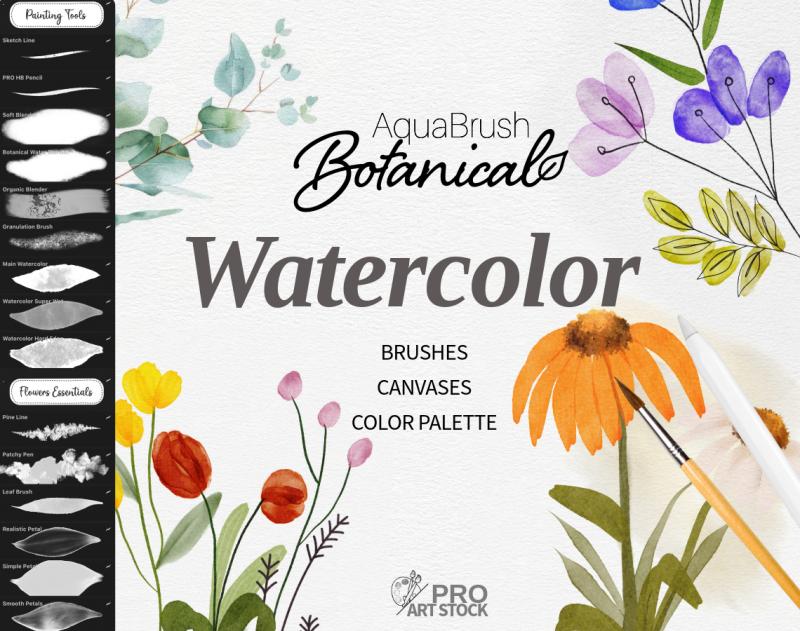
Pull petal gradients from deep center hues to translucent outer edges in a single smooth stroke. Blend leaf veins into surrounding greens without losing the crisp line. Build the layered, multi-toned depth of professional floral watercolor illustration using only this tool and your existing painting brushes.
Portrait & Skin Blending
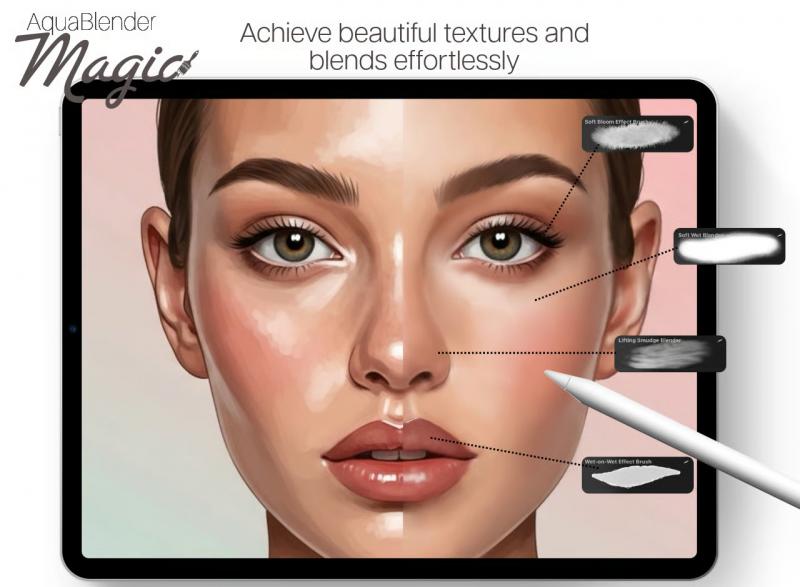
Build luminous cheek gradients, soft jaw transitions, and the subtle undertone variations that make digital portrait watercolor look convincing. The feathered edge behavior is especially suited to skin tone blending, where hard edges immediately break the illusion of traditional media.
Landscape, Sky & Water
Sweep seamless color transitions across wide sky areas — from deep cerulean to pale gold at the horizon, with organic variation that avoids the mechanical gradient look. Use short, directional bloom strokes to add the visual energy of wet-on-wet watercolor to cloud forms, water reflections, and foliage.
Abstract & Expressive Painting
Push color in expressive, directional movements that carry the physical gesture of the brush stroke. The bloom behavior on this set creates the kind of spontaneous, organic results that make abstract watercolor feel genuinely handmade rather than digitally constructed.
What's Included
- Smudge-style Procreate watercolor blending brushes (.brushset file)
- Apple Pencil pressure & tilt calibrated — full range response
- Paper grain-preserving blend behavior
- Compatible with Procreate 5+ on all iPads
- Works with Apple Pencil 1st gen, 2nd gen, and Apple Pencil Pro
- Instant digital download — available immediately after purchase
- PDF guide with blending tips, technique workflows, and color pairing advice
- Full commercial license included
How to Install
1. Complete your purchase and download the .brushset file to your iPad
2. Tap the file — Procreate opens automatically and imports the brushes
3. Select the blending brush in your Smudge Tool
4. Start blending over existing watercolor strokes — no setup required
Frequently Asked Questions
What is the difference between this blending brush and a regular Procreate smudge brush?
Procreate's default smudge brushes are general-purpose tools designed for a range of media. This watercolor blending brush is calibrated specifically for watercolor pigment behavior — the dilution, the bloom spread, the feathered edge variation, and the paper grain preservation are all tuned for the specific way watercolor moves on paper. A standard smudge tool will push pixels; this brush behaves like a wet brush on wet paint.
Is this a single brush or a set of brushes?
This is a smudge-style watercolor blending brush kit — multiple brushes calibrated for different blending intensities and watercolor techniques, from delicate feathered edges to bold, saturated color merges. Each brush targets a specific blending behavior so you can choose the right tool for each moment in your workflow.
Do I assign this to the Smudge Tool or the Paint Tool?
These brushes are designed primarily for use with the Smudge Tool — select the brush from your Brush Library while in Smudge Tool mode and blend directly over existing painted color. Some brushes also work as Paint Tool blenders for wet-into-wet painting techniques.
Do these preserve paper texture while blending?
Yes — paper grain preservation is a core design principle of this set. The brushes are calibrated to blend color without flattening the canvas texture, so your watercolor paper grain remains visible through heavily blended areas.
Are these compatible with Procreate 5?
Yes — fully compatible with Procreate 5, 5.2, 5.3, and all newer versions on all iPad models supported by Procreate. Does not work in Photoshop, Affinity Designer, or other applications.
Can I use artwork created with these brushes commercially?
Yes. Full commercial license included. Illustrations, prints, cards, and client work created using this watercolor blending brush kit are yours to sell and publish without additional fees.